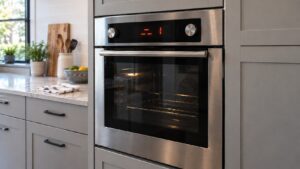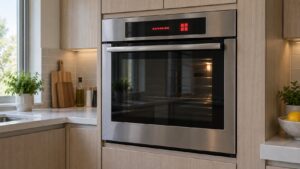
What Blank Display means (fisher paykel oven blank display)
When a fisher paykel oven blank display appears, it is observable — the panel is dark or will not respond. It often follows a power event, and a lost link between the clock and power modules can also show as F5 alongside a blank or frozen panel. Confirm power before assuming a board failure.
Symptoms that point to a blank oven display
A dead panel rarely arrives alone, so it helps to read the whole picture before you decide what is happening. One owner sees a fully dark clock the morning after a storm; another taps a button and gets no beep, no light, no response. The list below gathers the behaviors that most often travel with this problem on a Fisher & Paykel oven, and matching even one or two of them tells you whether you are chasing a control issue or something else entirely.
- The display is dark or shows nothing
- Controls do not respond
- The oven will not start a function
- An F5 communications code may appear
Likely causes behind a fisher paykel oven blank display
A dark panel can trace back to anything from the wall socket to the clock board itself, so sorting the possibilities from simplest to most involved keeps you from over-diagnosing. The four causes below run roughly in that order — start by ruling out a supply problem you can fix yourself, then move toward the module failures that call for specialist technicians and the correct Fisher & Paykel parts.
- No power — a tripped breaker or unswitched supply
- Display-module failure — the clock module has failed
- Power-module failure — the board does not drive the display
- Communication problem — the module link is lost (F5)
What you can safely check yourself
Because a blank display is usually a power or control symptom rather than a mechanical one, the safe checks here stay outside the cabinet entirely — you are confirming supply and giving the control a clean restart, nothing more. Jot down what the panel does at each step. Never open the oven’s wiring, defeat a safety device, or probe live terminals; if the answer is not obvious from the steps below, that is the cue to hand it to a qualified technician.
- Confirm the breaker is on and the oven has power.
- Power the oven off at the breaker for several minutes, then restore power.
- Note whether the display stays blank or shows F5.
- If the panel stays dark with confirmed power, book service.
Parts a technician may check or replace
Once supply is ruled out, the diagnosis turns to the control hardware behind the fascia. A technician may inspect, test, or replace the clock/display module, power module, power supply, and communication harness. The correct part for your Fisher & Paykel oven is matched from the model and serial number, and genuine components come from trusted parts suppliers rather than generic substitutes so that performance, safety, and the appliance’s long working life are all protected. Pinning down the failed module first avoids swapping a board the problem never touched.
When to call a technician about a fisher paykel oven blank display
A blank display with confirmed power needs a technician to test the clock and power modules and their link. When the fix calls for trained service, book a visit through our scheduling page and an experienced, qualified technician will diagnose and repair it.
Prevention and care for the control panel
Most blank-display calls trace back to the power the oven is fed, so protecting the supply does more than any cleaning routine here. Have the oven run from a stable, correctly rated circuit, avoid sharing it with heavy-draw appliances that can sag the line, and keep the fascia free of standing moisture and aggressive cleaners that can creep into the controls. If the panel ever blanks again, write down exactly what came before it — a power cut, a fresh install, a spill near the clock — because that single detail often points a technician straight to the cause and keeps the visit short.
Related help and Fisher & Paykel resources
Browse other Fisher & Paykel Oven diagnostics, read about Fisher & Paykel Oven repair, look up your unit in the Fisher & Paykel models reference, or the related F5 control comms problem, browse service locations, or schedule a service visit. For Fisher & Paykel manufacturer documentation and model lookup, visit Fisher & Paykel at fisherpaykel.com/us.