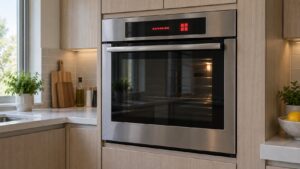
What F1 means (fisher paykel oven f1 error)
On a Fisher & Paykel oven, a fisher paykel oven f1 error means the electronics bay has exceeded its safe maximum (around 85 °C), usually because the cooling fan or ventilation is blocked. On a Fisher & Paykel electric oven the F-codes come from the clock-module and power-module control system; ranges share the same oven error-code family, while a range cooktop reports its own separate Er/E codes. Checking that the oven vents and surrounding cabinetry allow airflow comes first, with the cooling fan next.
Symptoms to look for
An F1 overheat problem tends to announce itself through the way the oven behaves under heat. The code appears on the display, sometimes halting the bake, while the control panel area feels noticeably warm to the touch. It often surfaces after a long roast or self-clean cycle, and then clears on its own once the electronics bay cools down. Checking the behaviors below against your own oven is the quickest way to confirm this is a heat-and-ventilation issue rather than a different control failure.
- “F1” shows and the oven may stop
- The control area runs hot
- It may follow long high-temperature cooking
- The problem can clear once cool
Likely causes (fisher paykel oven f1 error)
An F1 reading nearly always comes back to heat that cannot escape the electronics bay fast enough. The reasons span everything from cabinetry pinching the vents to a cooling fan that has slowed or stalled, so it is worth knowing which of these you can confirm at a glance and which need a technician to measure.
- Blocked ventilation — cabinetry or vents restrict airflow
- Cooling-fan failure — the fan does not run or is weak
- Trapped heat — prolonged high-temperature use
- Control failure — the bay sensor misreads (less common)
What you can check
Run through the steps below in order once the oven has cooled, and write down what each one shows, since those notes speed up the diagnosis if a technician comes out. Stop the moment you are unsure or any live wiring or the control board is involved, and pass that work to a qualified technician. None of these steps asks you to bypass a safety device or open the high-voltage side of the oven.
- Let the oven cool, then confirm the vents are not blocked.
- Make sure the surrounding cabinetry follows the installation clearances.
- Listen for the cooling fan running after the oven heats.
- If F1 recurs, book service to test the cooling fan.
Parts a technician may check or replace
If F1 keeps returning even with clear vents, a technician may inspect, test, or replace the cooling fan, oven vents, ventilation path, and control board. The right part for your Fisher & Paykel Oven is matched from the model and serial number, and components are sourced through trusted parts suppliers rather than generic substitutes so that the electronics bay stays within its safe temperature. Confirming the failed part before ordering avoids replacing more than the problem actually requires.
When to call a technician
F1 that recurs with clear vents needs a technician to test the cooling fan and ventilation path. When the fix calls for specialist service, book a visit through our scheduling page and an experienced, qualified technician will diagnose and repair it.
Prevention and care
Keeping F1 from coming back is largely about protecting the airflow the oven depends on. Leave the installation clearances clear, keep the vent slots free of foil or trays that block them, and listen now and then for the cooling fan spinning up after the oven heats. Because this oven relies on electronic control, give it a stable, correctly rated power supply so the bay sensor never sees an out-of-range condition. If F1 appears, note what the display showed before you reset the oven — that record helps the technician reach an accurate diagnosis and avoid replacing parts unnecessarily.
Related help and Fisher & Paykel resources
Browse other Fisher & Paykel Oven diagnostics, read about Fisher & Paykel Oven repair, look up your unit in the Fisher & Paykel models reference, or the related an oven that will not heat, browse service locations, or schedule a service visit. For Fisher & Paykel manufacturer documentation and model lookup, visit Fisher & Paykel at fisherpaykel.com/us.