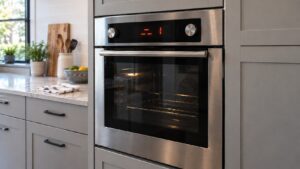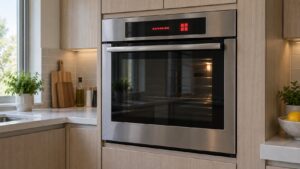
What F4 means (fisher paykel oven f4 error)
On a Fisher & Paykel oven, a fisher paykel oven f4 error is a power-module failure — the control board that switches the oven’s loads has detected an internal problem. On a Fisher & Paykel electric oven the F-codes come from the clock-module and power-module control system; ranges share the same oven error-code family, while a range cooktop reports its own separate Er/E codes. It is a control-level problem rather than a sensor issue, and usually means the power module needs testing or replacing.
Symptoms to look for
An F4 power-module failure tends to behave like a control problem rather than a heating one, so the symptoms center on the oven’s electronics. The code appears and the oven refuses to run normally, with functions that fail to respond when selected. The display may freeze or reset on its own, and crucially the problem sticks around through power cycles rather than clearing. Comparing these behaviors with your own oven confirms a power-module failure rather than a sensor or over-temperature issue.
- “F4” shows and the oven will not operate normally
- Functions may not respond
- The display may freeze or reset
- The problem persists across power cycles
Likely causes (fisher paykel oven f4 error)
An F4 reading means the power module that drives the oven’s loads has flagged something wrong inside itself or its connections. The trigger can be a genuine internal board failure, surge damage from the mains, or simply a degraded wire or loose connector feeding the module, so a technician needs to test the board before deciding what to replace.
- Power-module failure — the board has an internal failure
- Power surge damage — a surge stressed the board
- Wiring failure — a degraded connection to the module
- Connector problem — a loose plug at the board
What you can check
Because F4 is a control-board failure, the most useful thing you can do is a clean power cycle and careful observation. Follow the steps below in order and record what happens, since those notes save time when a technician comes out. Stop if anything is unclear, and do not start pulling at internal wiring or the board yourself — that work belongs to a qualified technician. None of these steps asks you to bypass a safety device or handle live wiring.
- Switch the oven off at the breaker for several minutes, then restore power.
- Note whether F4 returns immediately.
- Avoid forcing functions while the code is present.
- Because this is a control-board failure, leave F4 to a technician.
Parts a technician may check or replace
To clear an F4, a technician may inspect, test, or replace the power module, control board, board wiring, and connectors. The right part for your Fisher & Paykel Oven is matched from the model and serial number, and components are sourced through trusted parts suppliers rather than generic substitutes so that the board switches the oven’s loads reliably again. Confirming the failed part before ordering avoids replacing more than the problem actually requires.
When to call a technician
F4 needs a technician to test and, in most cases, replace the oven power module. When the fix calls for specialist service, book a visit through our scheduling page and an experienced, qualified technician will diagnose and repair it.
Prevention and care
Protecting the power module from a repeat F4 comes down largely to clean, steady power. Plug the oven into a stable, correctly rated supply, consider surge protection in areas prone to spikes or outages, and have any built-in installation done to specification so connectors seat properly and stay tight. Avoid riding out repeated brownouts with the oven powered, since voltage swings stress the board over time. If F4 appears, note what the display showed before you reset the oven — that record helps the technician reach an accurate diagnosis and avoid replacing parts unnecessarily. Because a control-board lockout is involved, treat F4 as a reason to act quickly rather than wait.
Related help and Fisher & Paykel resources
Browse other Fisher & Paykel Oven diagnostics, read about Fisher & Paykel Oven repair, look up your unit in the Fisher & Paykel models reference, or the related F5 clock/power-module comms, browse service locations, or schedule a service visit. For Fisher & Paykel manufacturer documentation and model lookup, visit Fisher & Paykel at fisherpaykel.com/us.