Understanding Fisher & Paykel Washer Error Codes
This reference decodes fisher-paykel washer error codes so you can tell at a glance whether a problem is a five-minute fix or a job for an experienced technician. When a Fisher & Paykel washer senses a problem mid-cycle, it pauses and flashes a code on the control panel — a compact diagnostic message from the machine’s sensors. Some codes flag minor hiccups like a partly closed valve; others signal a worn motor, lock, or sensor that needs hands-on repair. The original engineering documentation is published by Fisher & Paykel.
Common Fisher & Paykel Washer Error Codes
E02 — Motor Problem
The motor control board detected an issue with the drive motor. This can be a wiring problem, a failed motor, or a faulty control module. Try resetting the washer by unplugging it for 5 minutes. If E02 returns, schedule service.
E04 — Leak Detected (flood protection)
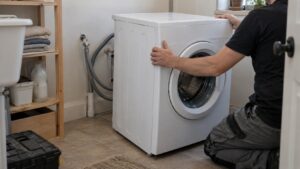
The flood protection system detected water in the base pan. The washer shuts down to prevent flooding. Check the drain hose connections and the door boot gasket for leaks. Tilt the washer slightly to drain the base pan, then restart. If the code persists, the flood protection valve or a internal hose may be leaking.
E13 — Water Fill Timeout
The washer didn’t fill with enough water within the allotted time. Check that both hot and cold water supply valves are fully open. Inspect the inlet hose screens (fine mesh filters at the valve connections) for mineral deposits. Clean the screens by removing the hoses and rinsing the screens under water.
E17 / E18 — Drain Timeout
The washer couldn’t drain within the expected time. Clean the drain pump filter, check the drain hose for kinks, and verify the drain hose height is between 24″ and 36″ above the floor.
E21 — Motor Not Turning
The drum isn’t spinning despite the motor receiving power. This can indicate a worn motor carbon brush (on older models), a jammed drum, or a broken drive belt. Check if the drum turns freely by hand with the washer off.
E27 — Door Lock Error
The door lock mechanism failed to engage. Make sure nothing is caught in the door seal preventing full closure. Try pressing the door firmly. If the lock mechanism clicks but the code remains, the door lock actuator may need replacement.
E28 — Sensor Error
A sensor (typically the pressure sensor or temperature sensor) is reading out of range. This is usually a component failure that requires professional diagnosis.
E29 — Water Not Draining (Flow Sensor)
Similar to E17/E18 but specifically involves the flow sensor detecting that water isn’t moving through the drain path. Clean the drain filter and check the drain pump impeller for obstructions.
E33 — Anti-Flood Sensor Active
The pressure sensor detects an abnormally high water level. The washer stops filling as a safety measure. This can be caused by a faulty water inlet valve that doesn’t close or a malfunctioning pressure sensor.
Resetting Your Fisher & Paykel Washer
For intermittent codes that don’t indicate a persistent problem:
- Press and hold the Start/Pause button for 3 seconds to cancel the current cycle
- Turn the program dial to Off
- Unplug the washer for 60 seconds
- Plug it back in and run a test cycle
If the code returns, the underlying issue hasn’t been resolved and you should schedule professional service.
When to Call a Technician About fisher-paykel washer error codes
Self-serviceable codes: E04 (check connections), E13 (check water supply), E17/E18 (clean filter), E27 (check door). Anything pointing at the drive motor, control board, or a sensor reading out of range calls for a multimeter, a proper teardown, and a service manual. Our experienced technicians work through these problems with the diagnostic tools needed to confirm the failed part instead of guessing — washer repairs start from $99, with the final figure depending on the diagnosis.
Reading the Codes Before They Escalate
Treat each code as an early warning rather than a verdict. A drain or fill timeout that clears after a quick hose check rarely returns; a motor or sensor code that keeps reappearing after a reset is the machine telling you a part is on its way out. Jot down the exact code and how often it appears before you book a visit — that short note often shortens the diagnosis on a Series 5, 7, or 9 SmartDrive washer. Keep the model and serial number from the rating plate handy too; on these front-loaders it sits inside the door rim or on the rear panel, and having it ready means the right replacement part can be sourced from trusted suppliers before the technician arrives.